11xplay App Download: Is There an APK? The Real Answer
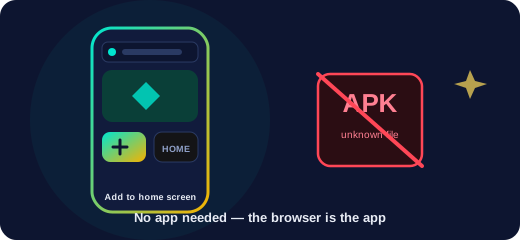
If you searched for an “11xplay app download” expecting a button and an APK, here is the short, honest answer: you do not need one. 11xplay access is browser-based, so the fastest, safest way to play is the phone browser you already have — and the only real risk in this whole topic is the fake “app” file. Let us walk through it.
Is there an official 11xplay app?
There is no separate program you must install before you can use your account. When people say “11xplay app”, they almost always mean a smooth mobile experience — and that is exactly what the browser gives you. It loads fast, updates itself, takes up no storage, and never asks you to trust an unknown installer. Open the site, sign in, and you are in.
App vs mobile browser: what is the difference?
In day-to-day use, almost nothing. A modern phone browser does everything a lightweight app would: it fills the screen, remembers your login if you let it, and runs fast on Android and iPhone alike. The advantage of the browser route is safety and simplicity — nothing to update manually, nothing running in the background, no permissions to worry about. Odds still move ball by ball, and your withdrawals work exactly the same.
Add 11xplay to your home screen (the app-style icon)
If what you actually wanted was a one-tap icon, you can have it in under a minute, safely:
- Android: open the site in Chrome, tap the three-dot menu, choose “Add to Home screen”, confirm.
- iPhone: open the site in Safari, tap the Share icon, choose “Add to Home Screen”, confirm.
The result looks and opens like an app, launches full-screen, and stays up to date automatically because it is still the live site underneath. It is the best of both worlds: the convenience of an icon with none of the risk of an unofficial installer.
The truth about “11xplay APK” downloads
Search for an 11xplay APK and you will find pages offering a file to install. This is the part worth slowing down for. An APK is an Android installer, and adding one from outside the Play Store means handing a stranger’s code deep access to your phone. Because genuine access is browser-based, any file presented as a required “11xplay app” is, at best, pointless and, at worst, malware wearing a familiar name.
The pattern is easy to recognise. Fake APKs ask for permissions they have no honest reason to want — your contacts, your messages, your screen — and some are built to capture the very login and OTP that let someone into your account. If a download promises a “special” app with faster access, a bonus or guaranteed results, that is bait, not a feature. Our real-or-fake guide covers the same evidence-first thinking.
Common mistakes when hunting for the app
- Installing an APK from an unknown site because it appeared near the top of results.
- Enabling “install from unknown sources” just to try a file — and forgetting to switch it off.
- Installing an iOS “configuration profile” a page claims is needed for access.
- Believing a downloaded app offers wins, tips or bonuses the browser somehow does not.
- Tapping a link from an unsolicited message instead of typing the address or using a bookmark.
The safe habit is simple: reach 11xplay by typing the address or using a bookmark, keep your OTP and password to yourself, and skip the APK entirely. When you are ready to get set up, use the button below.
11xplay App & APK FAQs
Is there an official 11xplay app to download?
There is no separate app you are required to download. 11xplay runs in any mobile browser, so you sign in through Chrome or Safari with nothing to install. If you want an app-style icon, add the site to your home screen in a few taps — that is the "app" most players actually want.
Should I download an 11xplay APK?
No. Because access is browser-based, any file presented as a required 11xplay APK is at best unnecessary and at worst malware. Installing an APK from an unknown source hands a stranger deep access to your phone, and some are built to steal your login and OTP.
How do I use 11xplay on Android?
Open your browser, go to the genuine site, and sign in. You do not need the Play Store or an APK. For an app-style icon, use the browser menu and choose "Add to Home screen".
How do I use 11xplay on an iPhone?
Open the site in Safari and sign in. For a home-screen icon, tap Share then "Add to Home Screen". You should never need to install a configuration profile to use the site.
Does a downloaded app give faster access or a bonus?
No. A downloaded app offers nothing the browser does not. Any download promising faster access, a bonus or guaranteed wins for installing is bait, not a feature.
How do I get an app icon without downloading anything?
Use "Add to Home screen" on Android or Share then "Add to Home Screen" in Safari. The icon opens the live site full-screen and stays up to date automatically, with none of the APK risk.