11xplay Login — Sign In in Seconds
Enter your 11xplay username and password and you’re on the exchange — live cricket odds, casino tables and your wallet, from any device. No ID yet? Get one on WhatsApp in 2 minutes.
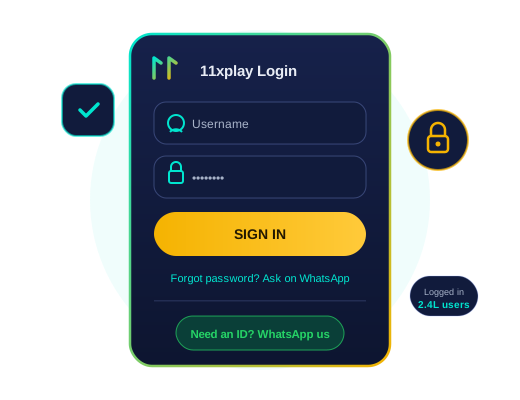
How to Log In to 11xplay
Whether you use the website or the app, the 11xplay login process is identical — and takes under ten seconds once you know your credentials.
1. Open 11xplay
Visit 11xplay in Chrome, Safari or any browser — or open the 11xplay app if you have it installed.
2. Tap Login
The Login button sits at the top-right of every page. On mobile, it is the first thing you see.
3. Enter Credentials
Type the username and password our team sent you on WhatsApp. Watch for capital letters — passwords are case-sensitive.
4. You’re In
Your dashboard loads with your balance, open bets and live markets. Deposit via UPI and play.
Forgot Your 11xplay Password?
It happens to everyone — especially after IPL season breaks. There is no email form or waiting queue on 11xplay. Password recovery works the same way you got your ID: on WhatsApp, with a human, in about 2 minutes.
- Message support from your registered WhatsApp number
- Share your username (or registered number if you forgot that too)
- Receive a fresh password after a quick identity check
- Sign in and change it to something memorable
Common 11xplay Login Problems & Fixes
| Problem | Likely Cause | Fix |
|---|---|---|
| “Invalid username or password” | Typo — capital letters, or 0 vs O | Re-type manually instead of pasting; copy fresh from the WhatsApp message |
| Password rejected after reset | Browser auto-filling the old password | Clear the saved password and enter the new one manually |
| Page keeps reloading | Stale cookies or cache | Refresh with Ctrl+Shift+R, or open an incognito window |
| Account temporarily locked | Several wrong attempts in a row | Message WhatsApp support — unlocked in minutes after verification |
| Site not opening at all | Network or ISP hiccup | Try mobile data instead of Wi-Fi, or ask support for the current fastest link |
Keep Your 11xplay Account Secure

Never Share Your Password
The 11xplay team will never ask for your password in chat. Anyone who does is not us — block and report them.
One ID, Every Device
Log in from your phone, laptop or tablet — your balance and bets sync instantly. Just log out on devices that aren’t yours.
Help Is One Message Away
Login trouble at any hour — even mid-match — gets fixed in chat. Average resolution time is under five minutes.
Your First 11xplay Login, Walked Through
The first sign-in is where new players hesitate, so here’s exactly what happens. Your credentials arrive in the WhatsApp chat as two lines — a username (usually your name plus digits) and a starting password. Open 11xplay.ind.in, tap Login, and copy each one from the chat rather than typing — the starting password mixes cases and copying eliminates the #1 first-login failure. You land on your dashboard: wallet balance top-right, live matches front and centre, casino one tap away.
Do two things in your first five minutes. Change the starting password to something only you know — account menu, one minute, done; the starting password was seen by the support agent who created it, yours shouldn’t be. And check your session behaviour: on your own phone, staying signed in for days is convenient and safe; on a shared or family device, use the logout button in the account menu every time — an open betting wallet is not something to leave in a browser tab.
About “11xplay login ID and password” searches: there is no universal or demo login — every ID is personal, created on request, with a balance attached to a real person. Any site or Telegram post offering “working 11xplay IDs and passwords” is either a scam collecting your deposit or a phishing page collecting your credentials. IDs come from one place: the official WhatsApp, in about 2 minutes, free.
The same credentials work identically across the browser version and the Android app, simultaneously — your balance and open bets are one account server-side, so there’s nothing to sync and no way for devices to disagree. If anything about signing in ever feels off — unexpected logout, unfamiliar bet in your history — message support immediately; locking and reissuing credentials takes minutes and costs nothing.
11xplay Login FAQs
How do I log in to 11xplay?
Open 11xplay in any browser or in the app, tap the Login button at the top, enter the username and password you received on WhatsApp, and press Sign In. You will land on your dashboard with your wallet balance and live markets.
I forgot my 11xplay password. What do I do?
Message our WhatsApp support with your registered number and username. After a quick identity check, a fresh password is issued within about 2 minutes. For safety, change it after your first sign-in.
What are the 11xplay login ID and password?
They are the credentials our team sends you on WhatsApp when your ID is created — a unique username and a starting password. You use the same pair on the website and the app.
Can I stay logged in on more than one device?
Yes. One 11xplay ID works on your phone, tablet and computer, and your wallet balance and open bets stay in sync everywhere in real time.
Why is my 11xplay login not working?
The three usual causes are a typo in the username (check letter case and zeros vs the letter O), an outdated saved password after a reset, or an expired session. Re-enter the credentials manually; if it still fails, WhatsApp support unlocks or reissues access in minutes.
Is there a separate 11xplay pro login?
No separate login page — Pro members sign in exactly the same way, and the platform recognises the account tier automatically. Read more on our 11xplay Pro page.
Do I need to log in again every time?
Your session stays active for several days on a trusted device. On shared or public devices, always log out from the account menu when you finish playing.