11xplay App: Your Browser Is the App
There’s no 11xplay APK and no store listing. The full exchange, casino and wallet run in the browser you already have. This page shows how to add a one-tap icon on Android and iPhone, how to play on a laptop, and how to spot the fake app files that use our name.
Why There’s No 11xplay APK
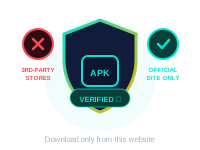
We chose to run 11xplay as a website rather than an installed app. That means one version for everyone, updated on our side, with nothing for you to download or keep current. It also removes the biggest risk in this space: fake APK files. Because we never publish one, you know for certain that any “11xplay app” file is not from us.
What most people mean by “the app” is a one-tap icon on their phone. You can have that in under a minute. Open the login link the desk sent you with your ID, then add it to your home screen using the steps below. The icon opens the site full screen, looks and feels like an app, and always loads the latest version.
Add 11xplay to Your Home Screen
Start from the login link in your desk chat, not from a search result. That way the icon points to the right place.
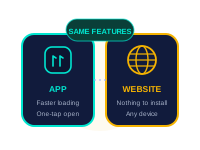
Android (Chrome)
- Open your login link in Chrome
- Tap the three-dot menu at the top right
- Choose “Add to Home screen”, then Add
- Open 11xplay from the new icon and sign in
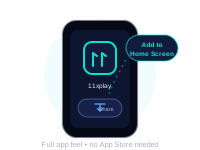
iPhone (Safari)
- Open your login link in Safari
- Tap the Share icon at the bottom of the screen
- Scroll down and tap “Add to Home Screen”
- Tap Add, then open 11xplay from the icon
No Android “unknown sources” setting and no iPhone profile is needed. If a page asks for either, close it.
Phone, Tablet or Laptop: One ID Everywhere
Your balance, open bets and history live on your account, not on the device, so they’re the same wherever you sign in.
| How you play | Setup | Good for |
|---|---|---|
| Home-screen icon | Add once from Chrome or Safari | Daily play on your own phone |
| Phone browser | Open your login link | A quick bet without adding an icon |
| Laptop or desktop | Open the link in any current browser | Following several markets on a bigger screen |
| Tablet | Same as phone | Live casino tables with a larger picture |
Signing in on a shared or family device? Log out from the account menu when you’re done. See the login guide for more.
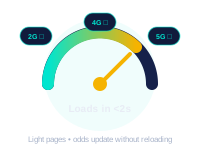
Will It Run on My Phone and My Data Pack?
The cricket and sports pages are built to be light. Odds update in place instead of reloading the whole page, so a normal 4G connection and a budget Android phone handle them comfortably.
- Sports markets use little data, about what you’d expect from a chat app
- Live casino is streamed video, so it uses noticeably more data and battery; the stream lowers its quality before it drops
- Nothing runs in the background when you close the tab or icon, because nothing is installed
On a tight data pack, keep the casino for Wi-Fi and bet on the cricket from mobile data.
How to Spot a Fake “11xplay APK”
Files using our name turn up on download sites, Telegram groups and in forwarded messages. Since we don’t publish an APK, every one of them is fake. They tend to give themselves away:
- They ask for SMS, contacts or accessibility permissions, which is how OTPs get read
- They need “install from unknown sources” switched on
- They promise extra bonuses, “fixed” results or a VIP version
- On iPhone, a page asks you to install a “configuration profile”
Already installed one? Uninstall it, switch “unknown sources” off again, change your 11xplay password from a browser, and tell the desk. If you’re unsure about a file or link, send it to us in chat before you open it.
When the Site Won’t Load Properly
- Page looks broken or stuck: pull down to refresh on a phone, or press Ctrl+Shift+R on a computer.
- Slow only on one network: switch between Wi-Fi and mobile data. Some networks route traffic badly at peak times.
- Link won’t open at all: ask the desk for the current login link, then update your bookmark or re-add the home-screen icon.
- Icon opens the wrong site: delete it and add it again from the link in your desk chat.
If none of that helps, send a screenshot to the desk through the contact page and say which phone and browser you’re using.
11xplay App FAQs
Is there an 11xplay app to download?
No. 11xplay runs in your browser, so there is nothing to install from a store or a file. If you want an app-style icon, open your login link and use "Add to Home Screen". It opens full screen and always loads the current version.
Is an "11xplay APK" safe to install?
Do not install it. Since 11xplay needs no APK, any file sold or shared as the "11xplay app" is at best unnecessary and at worst built to read your SMS, OTPs or saved passwords. Delete it and use your browser instead.
How do I add 11xplay to my Android home screen?
Open the login link from your desk chat in Chrome, tap the three-dot menu at the top right, choose "Add to Home screen" and confirm. An 11xplay icon appears with your other apps.
How do I add 11xplay to my iPhone home screen?
Open the login link in Safari, tap the Share icon at the bottom, scroll down to "Add to Home Screen" and tap Add. There is nothing to download from the App Store.
Can I play on a laptop or computer?
Yes. Open the same login link in any up-to-date browser on Windows, Mac or Linux and sign in with your usual ID. Your balance and open bets are the same on every device.
Does 11xplay work on a basic phone or slow internet?
Sports betting pages are light and work on an ordinary 4G connection and budget Android phones. Live casino tables stream video, so they need a steadier connection and use more data than the cricket markets.
Do I need a separate account for the app?
No. The home-screen icon is just a shortcut to the same site, so you sign in with the same 11xplay ID and see the same wallet.